 VOLENG
Start with your priority.
Choose Field Operations, Order Management, Workforce / HR, Fleet or Finance.
ONE PLATFORM. MULTIPLE SOLUTIONS.
Plan field work, manage teams and shifts, keep vehicles ready and turn completed work into invoices. Start with one product and connect the rest when your operation grows.
Use one product. Connect more when you need them.
No credit card required during the trial
VOLENG PRODUCTS
Five products. Each works independently. Start with what your team needs today; shared context connects planning, people, vehicles and finance when you choose to combine them.
Choose Field Operations, Order Management, Workforce / HR, Fleet or Finance.
Add another product later without rebuilding your workspace.
Control Center is included for company, users, roles and product settings.
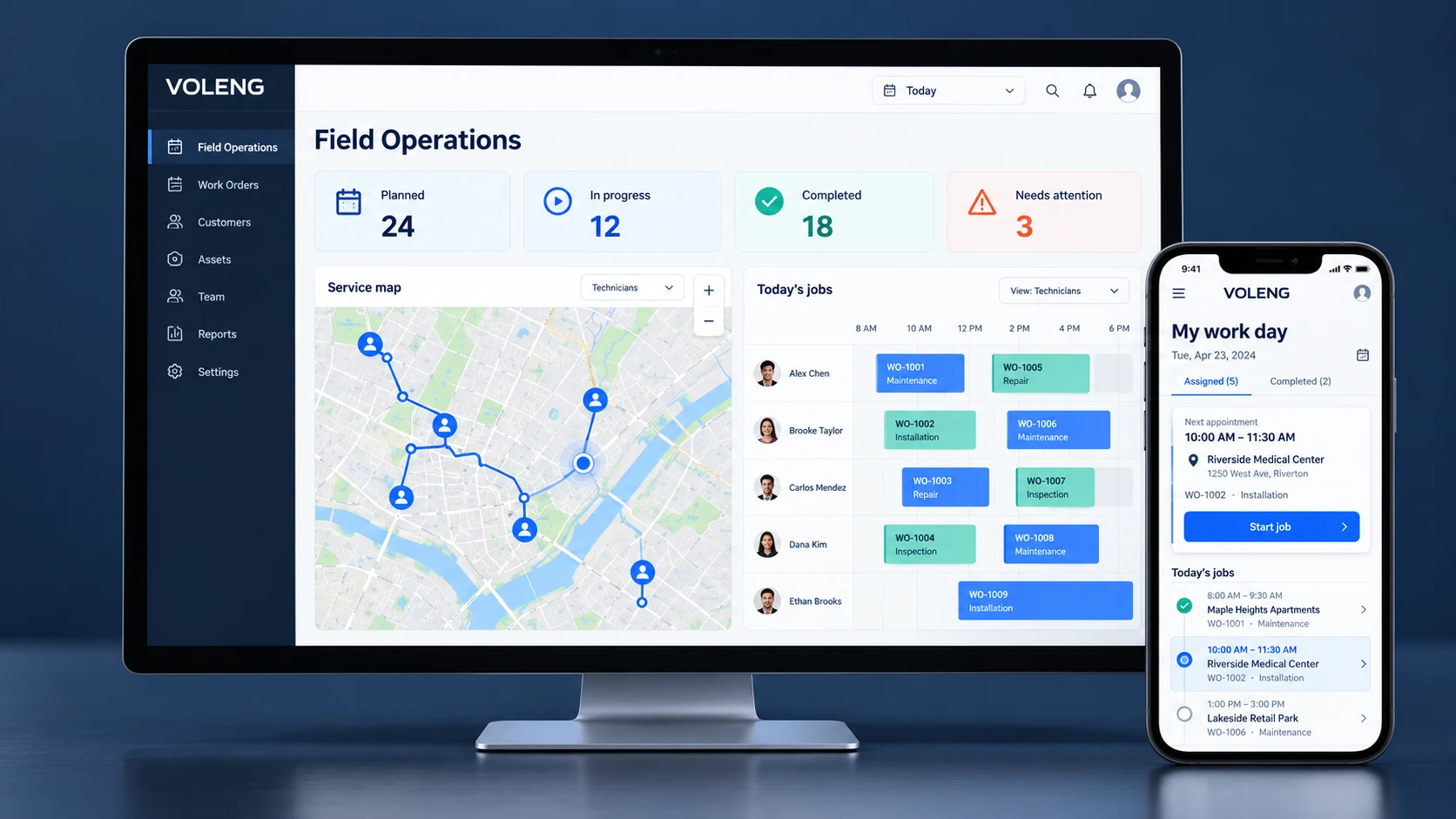
Plan, dispatch and follow field work from one workspace. Build routes, send ordered jobs to the field, track execution and keep customers informed.
Connected workflow: Connect Workforce / HR for shifts, absences, worked time and leave; Fleet for vehicle readiness; and Finance when completed work is ready to bill.
Explore product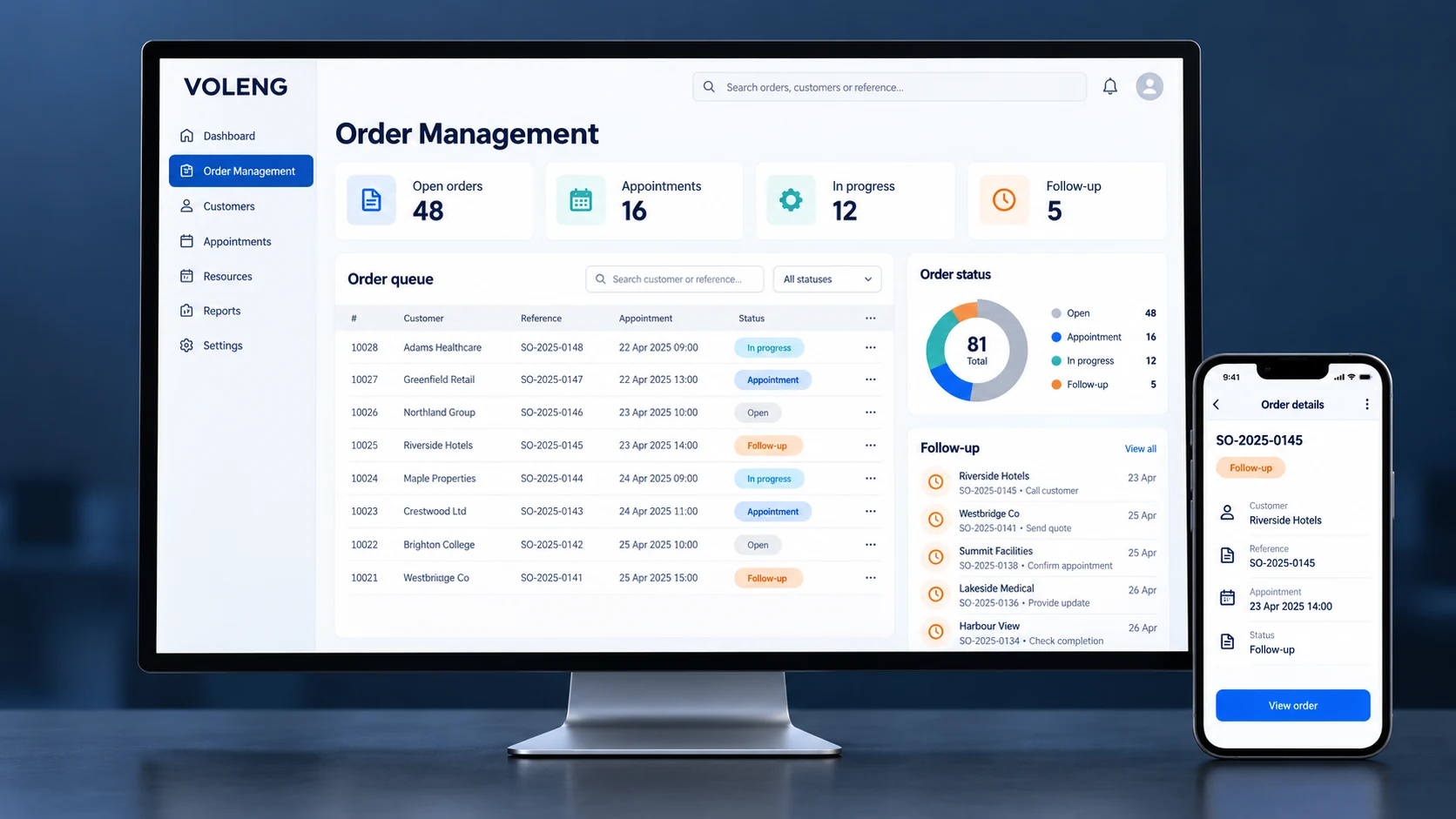
Manage orders, queues, callbacks, appointments and customer actions from one operational desk. Keep every change, note and interaction attached to the same order.
Connected workflow: Connect with Field Operations for planning, Finance for billing and VOLENG Connect for customer communication.
Explore product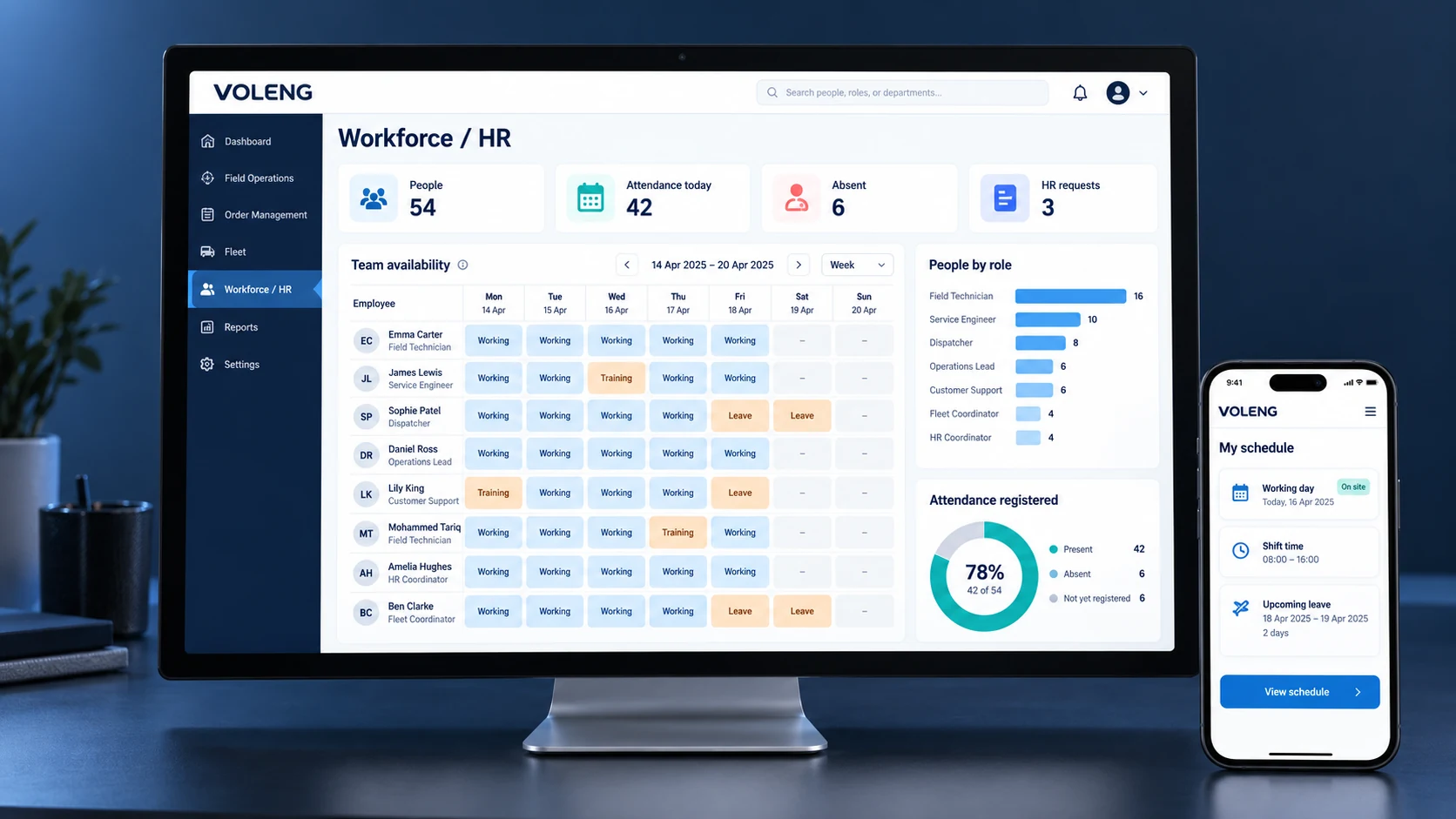
Manage the people behind your operations. Keep working time, availability, absences and field skills aligned with daily planning.
Connected workflow: Availability changes can flow into Capacity and Planning so unavailable workers are visible before assignment.
Explore product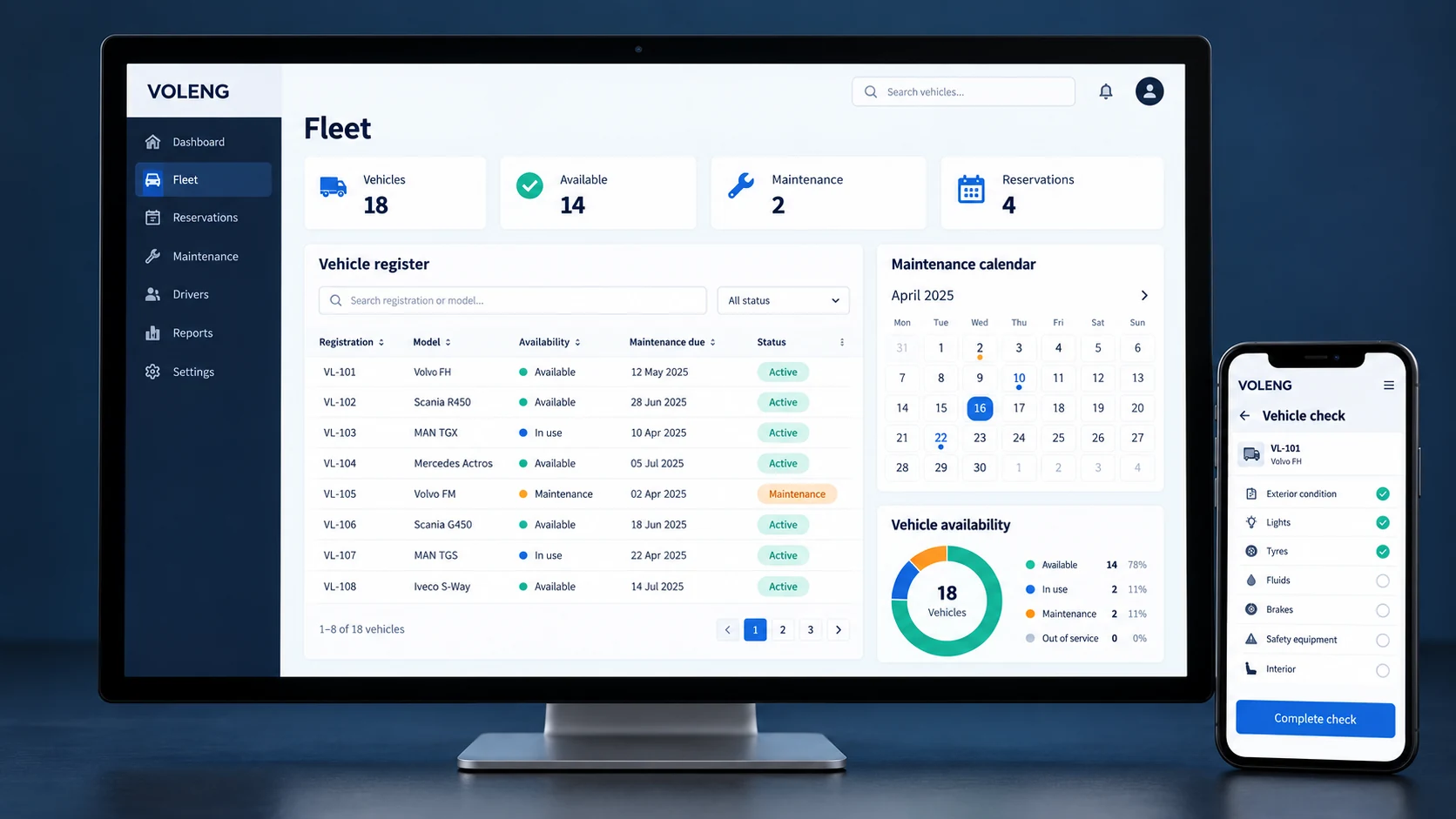
Keep vehicles, drivers, assignments, availability and maintenance connected to the working day.
Connected workflow: Connect with Field Operations to see which vehicle and driver are available before work is assigned.
Explore product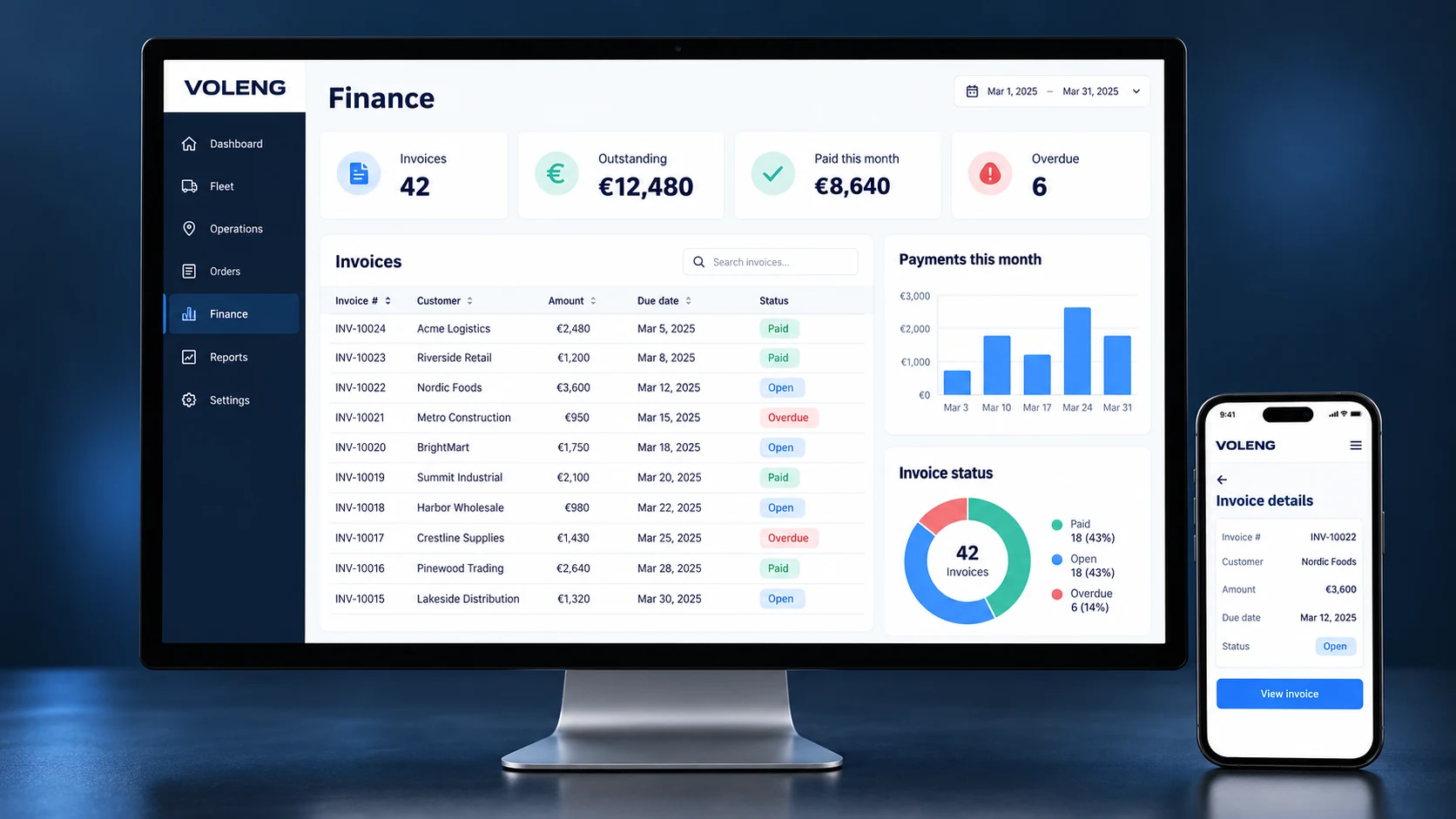
Turn completed work into revenue. Manage customers, invoices, credit notes and payment follow-up without disconnecting Finance from Field Operations.
Connected workflow: When Field Operations is connected, completed work can provide the context needed to prepare invoicing.
Explore productFIELD OPERATIONS
Field Operations stays fully useful before Smart Planning is switched on. Dispatchers can plan manually, see real-road routes, adjust stop order, send work to the field and follow execution live.
Assign work manually, move stops into the right 1 → 2 → 3 order and see the technician route before you publish the day.
See Start → 1 → 2 → 3 → Finish on the road network, with exact address markers where available and total route kilometres.
Technicians see ordered jobs, addresses and navigation. My Calendar shows shifts, worked hours and leave balance; Absences & leave handles requests; location can be sent manually when needed.
Live Field shows GPS or last known position. Customers can receive a tracking email/link with ETA and remaining distance, while completion can capture photos, signatures and e-POD.
PLANNING VIEW
Plan work, check availability and review the route before dispatch.
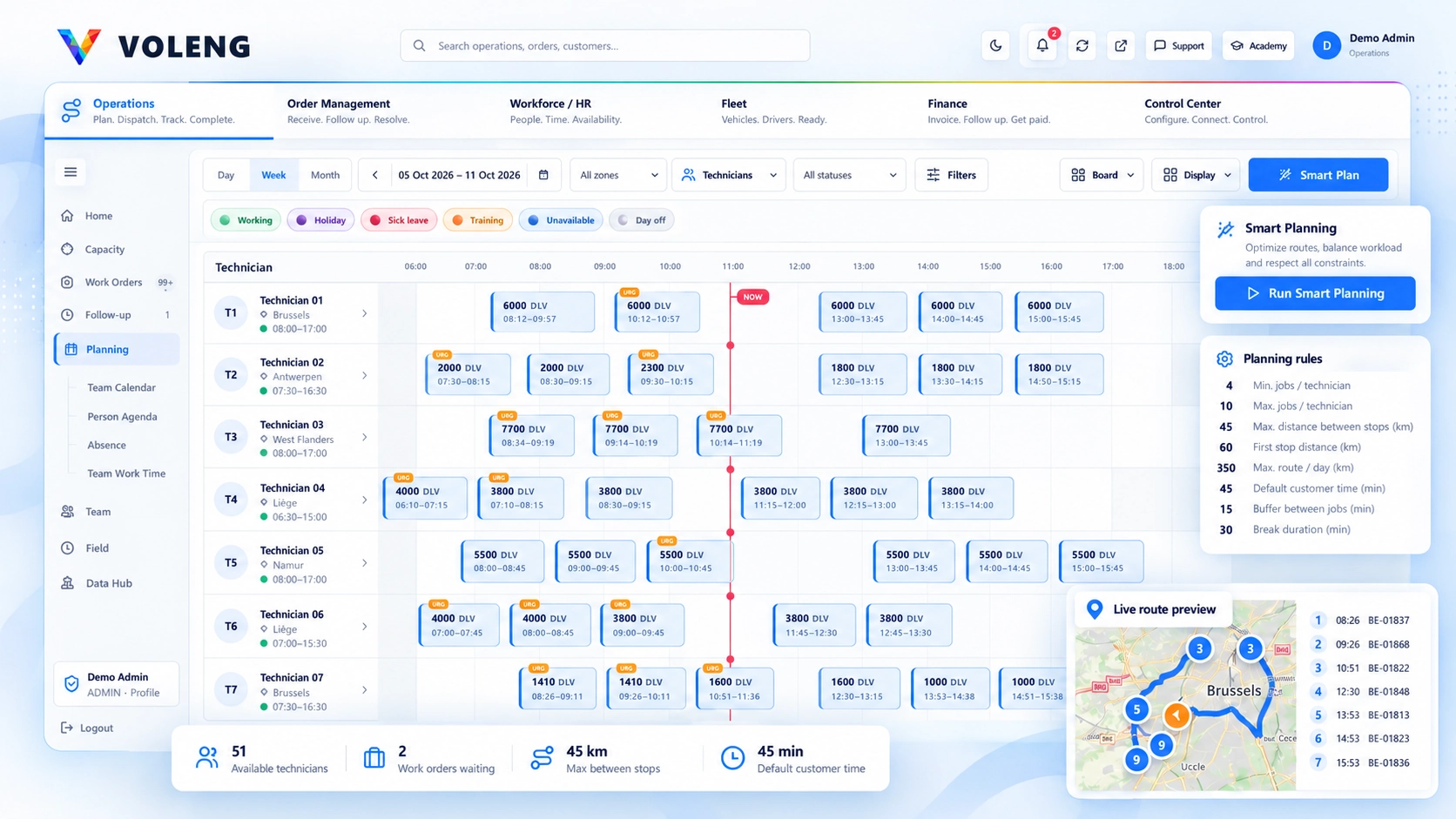
Workforce / HR feeds shifts, absences, leave and availability · Fleet feeds vehicle readiness · Finance receives completed-work context · Control Center governs users, rules and connections.
SMART PLANNING
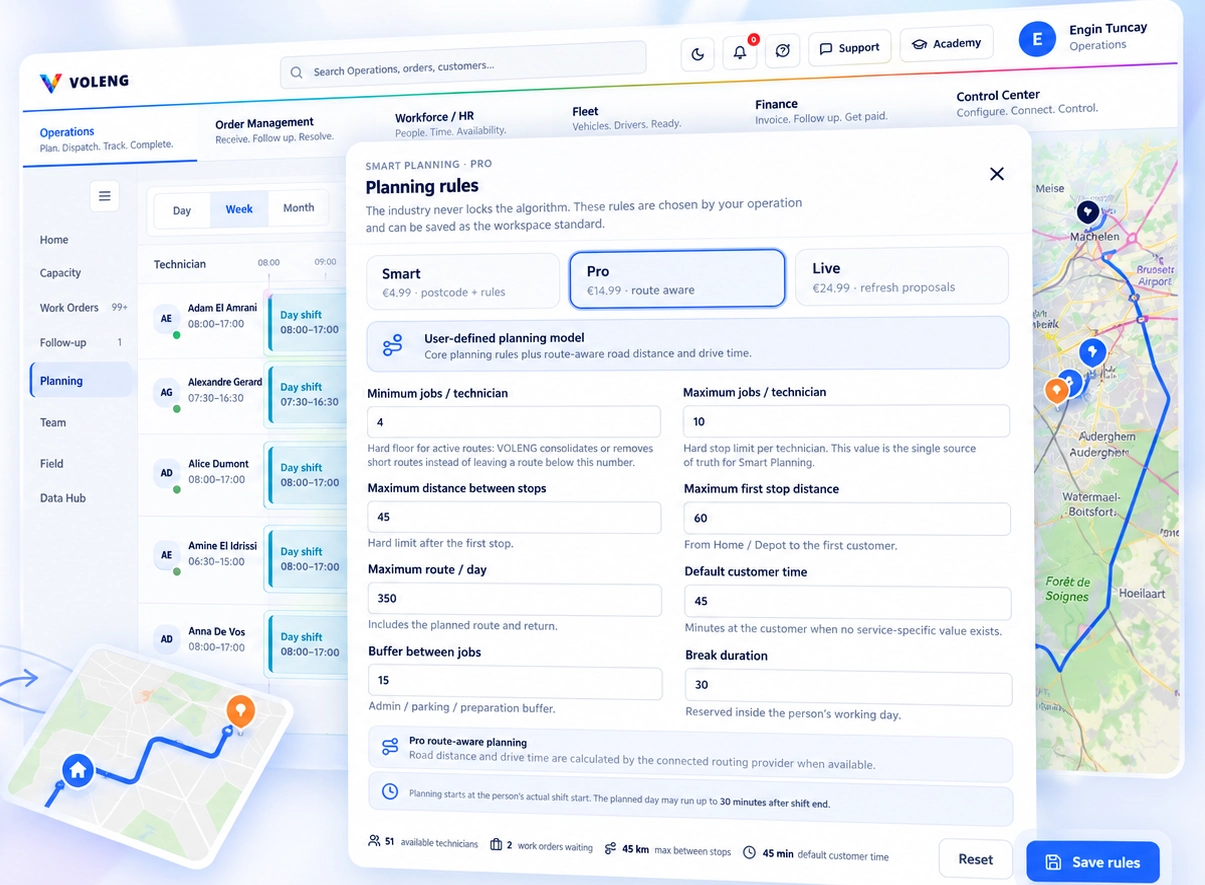
Build a practical route around your team, locations and planning rules.
Use real road distance, drive time and your planning rules to build more practical routes.
Reduce manual planning work, unnecessary travel time and avoidable kilometres.
Create more reliable ETAs and a more predictable on-time field service experience.
| Capability | Field Operations StandardYou decide | Smart BasicVOLENG builds the plan | Smart ProVOLENG optimises the route | Smart LiveVOLENG keeps adapting |
|---|---|---|---|---|
| Manual planning & reorder | ✓ | ✓ | ✓ | ✓ |
| Planning map, road route & total km | ✓ | ✓ | ✓ | ✓ |
| GPS, Live Field, tracking email & ETA | ✓ | ✓ | ✓ | ✓ |
| Automatic technician assignment | — | ✓ | ✓ | ✓ |
| Automatic stop sequence | — | ✓ | ✓ | ✓ |
| Shift, availability & capacity rules | — | ✓ | ✓ | ✓ |
| Advanced road optimisation | — | — | ✓ | ✓ |
| Exact-address / road-travel inputs | — | — | ✓ | ✓ |
| Traffic, GPS & delay as planning input | — | — | — | ✓ |
| Continuous re-analysis during the day | — | — | — | ✓ |
FIELD MOBILE
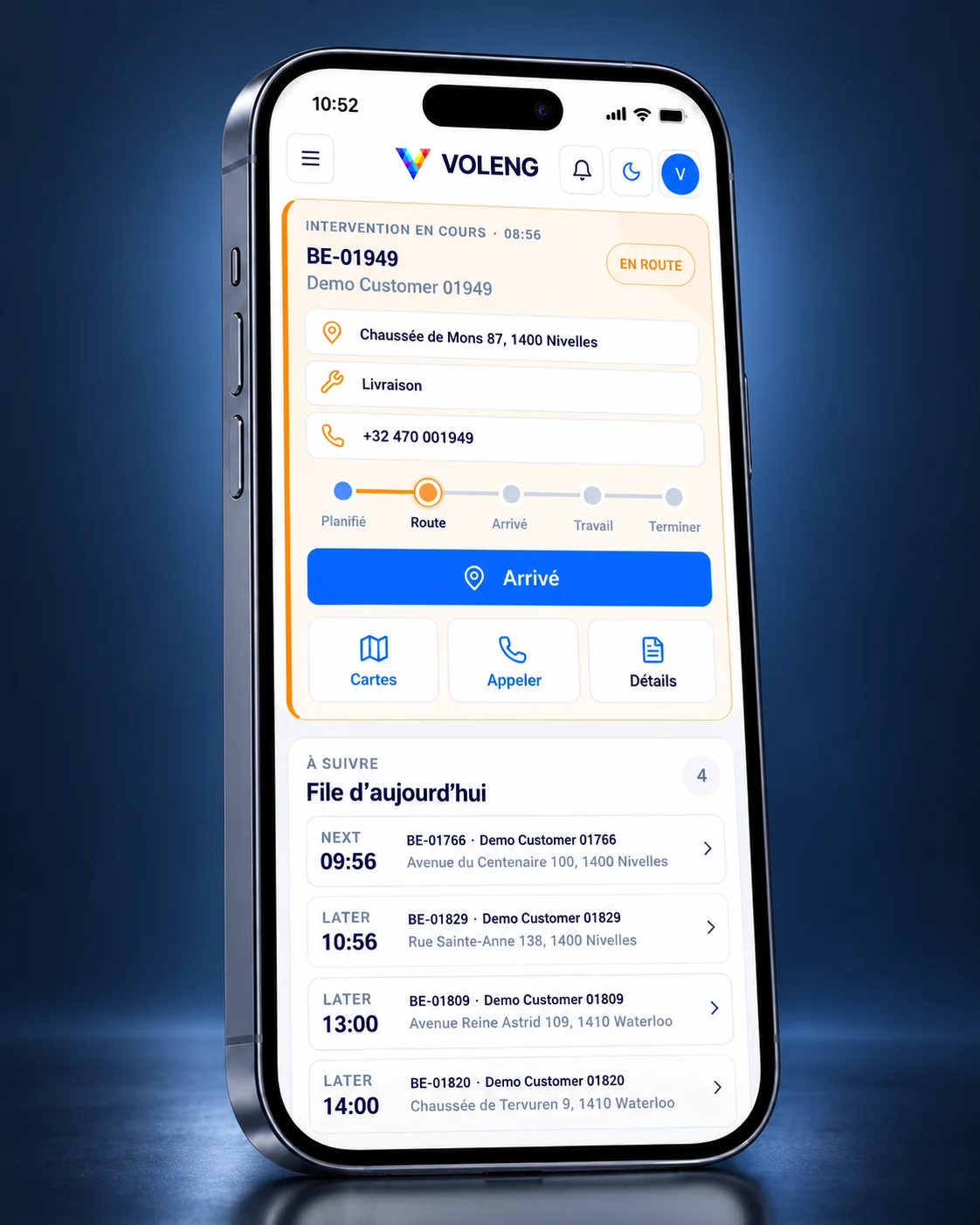
Planning, your working day and job completion in one mobile workspace.
Published jobs, addresses and route sequence stay easy to scan before leaving for the first stop.
Start the day, see remaining and completed jobs, and keep calendar and absence tools close at hand.
Move from Planned → Route → Arrived → Work → Complete with maps, calls, details and proof of work.
CONTROL CENTER · INCLUDED
Manage people, permissions and workspace settings in one place. Give each person access that fits their responsibilities.
Use your Microsoft account when the integration is configured for your workspace.
Assign roles and permissions to keep tools and actions aligned with each person’s job.
Keep customer records and day-to-day operations scoped to their workspace.
Users create and reset their own password through a personal, time-limited link.
Reserve management settings and access changes for authorized administrators.
Manage users and permissions within the customer workspace, with access determined by their role.
MADE FOR REAL OPERATIONS
On the road, on site or in the office. Give every team a clear view of the work ahead.
No. Start with one product and add others when they become useful. Control Center is included with every workspace.
Yes. Explore demo to see the workspace, or visit Pricing for the current trial and product options.
Users manage their own VOLENG password through personal activation and reset links. Microsoft sign-in is available where the required integration has been configured.
Authorized administrators manage roles and access. Customer records are scoped to the workspace, and permissions determine the tools and actions available to each user.
Yes. We can discuss roles, workspace structure, onboarding and supported integrations. Scope, feasibility and any additional cost are agreed before work starts; customization is not automatically included in a standard subscription.
See Pricing for products, bundles and trial terms. Visit the Academy for guidance or contact our team.
YOUR NEXT WORKING DAY
One product today. A connected workspace when you are ready.